

BlueEye
-
Posts
2,307 -
Joined
-
Last visited
Content Type
Profiles
Forums
Events
Gallery
Store
Everything posted by BlueEye
-
Good evening fellow anglers, Recently, I have received several emails/PMs about LOU users wanting a store or to buy some merchandise and thus was born the LOU store. So far we have had a great response to the store and we continue to add products as they become available to us. Today we added "Plus Size" women’s wear. Hopefully the plus size men’s wear will be soon to follow. Here is a $5 dollar off coupon valid on purchases over $35 dollars: SRV149 Now while we love the response we have got thus far with respect to the LOU store, the bottom line is that it doesn't necessarily help you catch more fish (except for the hat, which is PACKED FULL of good luck fishing magic). And again the emails came in requesting a "fishing" store that sold more than just LOU merchandise. This was tough and I thought about it for a long time and have decided that we will not have a fishing store on LOU for a couple reasons. This would require SSL certificates, inventory management, shipping personal and a whole bunch of other stuff that I don't need to explain required to run a store. I also didn't want to take away (distract) from the community with something that was overly complex like this. Instead what I looked into was the one place where I (and many of you) buy all your fishing stuff. It is infact the cheapest place you can buy fishing stuff anywhere on the web (with the exception of our Classifieds forum that recently has seen a set of 4 downriggers be given away for FREE!). Care to take a guess? EBAY of course! I had a chance to talk with some people over at Ebay about an API they wrote that would allow us to target very specific EBAY searches (i.e., "salmon fishing", "trolling rods", etc.). Using this API, we could then host live fishing related EBAY auctions directly from LOU website. This benefits the LOU community in that they are always going be kept up-to-date with the latest fishing merchandise at the cheapest prices. It also doesn't distract from the rest of the site, as we will only be showing one product at a time. It benefits the site owners because they won't have to deal with the inventory, shipping and all that other hassle associated with trying to run a secure online store. Ebay is a trusted source that many of you already have accounts with. LOU Auctions just makes it easier for you to find the fishing items of interest. The fishing items on the LOU Action block update themselves and change as you navigate the pages. The latest prices and a brief description along with a thumbnail image are displayed. Simply click on the item to view the real Ebay auction directly. What you can be assured of is that it is going to be hard to EVER beat the prices you see on LOU Auctions/Ebay. I can promise you that. Happy bidding
-
 Hey JD - See the sticky post I have at the top of the "Open Lake Discussion" category for a tutorial on how to post images on the site. I go through it there, step by step. Hope this helps buddy! Take care and enjoy the weekend.
 -
You want to share your photos with the community but are not sure how. No problem. This step by step tutorial will walk you through exactly how to post your own pictures on Lake Ontario United. There are TWO ways to post pictures on LOU. The First Way (and the easiest way) Simply click on the "Start New Topic, Reply to this topic or Use Full Editor (quick reply)" option to bring up the full post editor. After that, click on the ATTACHMENTS option below the post body and upload your images. The Second Way Setting up PhotoBucket Account. We need to make our images available on the Internet. Having them on your personal computer is not good enough so what we are going to do is setup an account with PhotoBucket that will host our images ONLINE for us! 1.) Visit PhotoBucket.com and register for an account or sign in if you already have one. 2.) Under where it says "Chose an Image" you will see a "Browse" button. Click on the "Browse" button and select the picture on your computer that you would like to upload. 3.) Once the image from your computer has been selected, click "Open". 4.) Then simply press the "UPLOAD" button. 5.) Your image will upload to the website and you will receive a confirmation message saying "Your Images have Uploaded!" Simple right? Ok, so now we have taken the images from your computer and put them on our Photobucket account. Now we want to share this image with members of the LOU community. 1.) Log into your photobucket account if you are not already. 2.) Scroll down to the bottom and you will see all the images you have uploaded. Click on the "IMG Code" text. This will AUTOMATICALLY copy the image code for you. 3.) Paste the image code into your message on the LOU Forum. The code that you paste into your message will look similar to this (but longer): [IMG] http://i167.photobucket.com/pike.jpg [/IMG]That's it! Nothing to it and its very convenient and beneficial to both parties. Plus, you can use your photobucket account to post images on virtually any other message board out there. I hope this little tutorial helps and please private message me with any questions you might have. Kind regards,
-
Sorry guys - I thought you wanted the code to put it on your own websites. If so, then use the code above. If you want to put it in your profile signature, then use this code: [url=http://www.lakeontariounited.com] [img=http://www.LakeOntarioUnited.com/images/lake-ontario-member1.gif] [/url] [url=http://www.lakeontariounited.com] [img=http://www.LakeOntarioUnited.com/images/lake-ontario-member2.gif] [/url] [url=http://www.lakeontariounited.com] [img=http://www.LakeOntarioUnited.com/images/lake-ontario-member3.gif] [/url] [url=http://www.lakeontariounited.com] [img=http://www.LakeOntarioUnited.com/images/lake-ontario-member4.gif] [/url]
-
Simply copy this code and paste it into the HTML on your site. Its that easy. Let me know if you have any questions. Let me know if you got any other questions
-
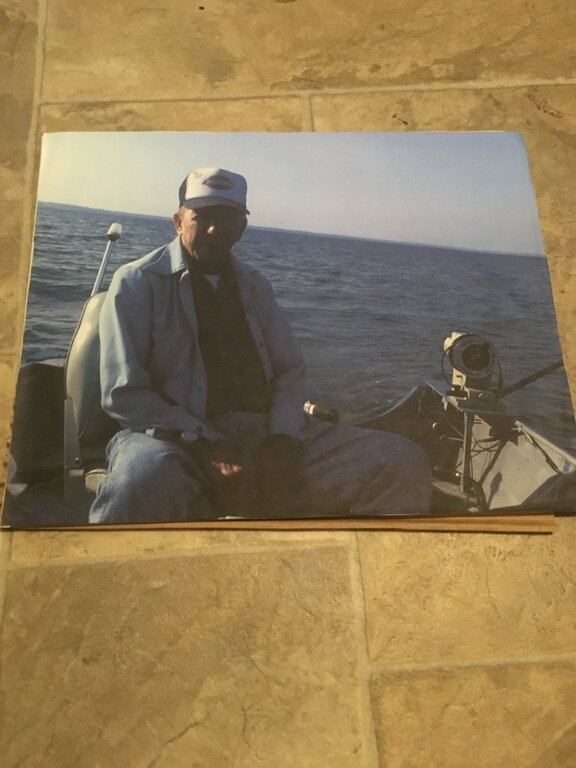
There are many reasons why we fish, but the one that sits at the top of list for me is because of my father. This is a very old picture of my sister, brother and myself. The man in the shaded background is "Pa". I wanted to share this tribute to all fishing fathers out there. CLICK HERE TO VIEW TRIBUTE Warning: You many need a tissue after watching. This video in a sense represents some of the reasons why LOU was born - more of a family friendly atmosphere. To make sure that memories like this keep happening for future generations to come. So if you haven't already, take the pledge and be sure to put that "Proud Member of LOU" badge on your site and display it proudly!
-
Nice bucket fishshack! What a belly on some of those perch!
-
 No problem fellas Give it a try and let me know how it works and if my directions are clear. Thanks!
 -
You want to share your photos with the community but are not sure how. No problem. This step by step tutorial will walk you through exactly how to post your own pictures on Lake Ontario United. There are TWO ways to post pictures on LOU. The First Way (and the easiest way) Simply click on the "Start New Topic, Reply to this topic or Use Full Editor (quick reply)" option to bring up the full post editor. After that, click on the ATTACHMENTS option below the post body and upload your images. The Second Way Setting up PhotoBucket Account. We need to make our images available on the Internet. Having them on your personal computer is not good enough so what we are going to do is setup an account with PhotoBucket that will host our images ONLINE for us! 1.) Visit PhotoBucket.com and register for an account or sign in if you already have one. 2.) Under where it says "Chose an Image" you will see a "Browse" button. Click on the "Browse" button and select the picture on your computer that you would like to upload. 3.) Once the image from your computer has been selected, click "Open". 4.) Then simply press the "UPLOAD" button. 5.) Your image will upload to the website and you will receive a confirmation message saying "Your Images have Uploaded!" Simple right? Ok, so now we have taken the images from your computer and put them on our Photobucket account. Now we want to share this image with members of the LOU community. 1.) Log into your photobucket account if you are not already. 2.) Scroll down to the bottom and you will see all the images you have uploaded. Click on the "IMG Code" text. This will AUTOMATICALLY copy the image code for you. 3.) Paste the image code into your message on the LOU Forum. The code that you paste into your message will look similar to this (but longer): That's it! Nothing to it and its very convenient and beneficial to both parties. Plus, you can use your photobucket account to post images on virtually any other message board out there. I hope this little tutorial helps and please private message me with any questions you might have. Kind regards,
-
Thanks Reel for sharing this. It seems to be a common question.
-
Welcome by popular demand - the new fish recipes section. Here is one to get newest forum started and spice things up a bit. Enjoy! Garlic Salmon INGREDIENTS * 1 1/2 pounds salmon fillet * salt and pepper to taste * 3 cloves garlic, minced * 1 sprig fresh dill, chopped * 5 slices lemon * 5 sprigs fresh dill weed * 2 green onions, chopped DIRECTIONS 1. Preheat oven to 450 degrees F (230 degrees C). Spray two large pieces of aluminum foil with cooking spray. 2. Place salmon fillet on top of one piece of foil. Sprinkle salmon with salt, pepper, garlic and chopped dill. Arrange lemon slices on top of fillet and place a sprig of dill on top of each lemon slice. Sprinkle fillet with chopped scallions. 3. Cover salmon with second piece of foil and pinch together foil to tightly seal. Place on a baking sheet or in a large baking dish. 4. Bake in preheated oven for 20 to 25 minutes, until salmon flakes easily.
-
Hahaha - you guys crack me up. I hear you loud and clear. My apologies for not seeing this thread sooner. Send me a PM next time Ok, so one hot fresh recipe section coming right up! Bon Appetit!
-

Deer Stranded on Ice Patch on Lake Ontario
BlueEye replied to BlueEye's topic in Open Lake Discussion
Jerry, Any word on whether or not they saved the deer? -
Here is another high res pic of the fish.
-
This was one of a few caught on the runnin rebel trolling big o last couple years. caught off olcott on spoon fishing deep cold water for early season kings.
-
Gar ... gantuan! 245 lbs. Gar caught at Sam Rayburn Lake
BlueEye replied to BlueEye's topic in Open Lake Discussion
I hear ya Reel. I guess the fish is being mounted and they captured the entire fight on video which is going to be released sometime in the future on DVD. -
Longline is right. The site is best viewed at t resolutions higher than 800x600. Couple that with a favorites list on the left side and you are looking at even less real estate than 800x600. 95% of the current users of the site don't have a problem. Site also seems blazing fast on my end (both at home and at work). Try upgrading your computer and Internet connection if you are unhappy with the speed. I can assure you we got the top servers you can buy so I know the problem is not on our end.
-
Tony - I think the biggest we can do is XL. I will talk to them though and let you know if anything changes. Thanks man.
-
Don't know how many of you got a chance to see this but its worth the read! OH MY GOSH!
-
Welcome to heaven Brian Enjoy your stay.
-
Anyone else see this on the news today? Is this a good enough argument for the hunting forum? Deer Stranded on Ice Patch on Lake Ontario (be sure to watch the video at this link)
-
Cool Jim! I received my Hat and Golf shirt yesterday as well. The shirt looks great and shipping was VERY fast. As new items become available I will be adding them to the store right along, so keep checking back there now and again if you are interested.
-
Avatar feature is now ready to go. Simply click on the "Profile" button at the top of the page to pick which one best represent you. To ensure the board stays FAST - we are not allowing remote avatar hosting. Just the ones available in our gallery. Enjoy
-
Use coupon code DES148 for $10 off $25 dollar purchase at the LOU Store. This coupon is valid through Sunday (March, 11th). Enjoy
-
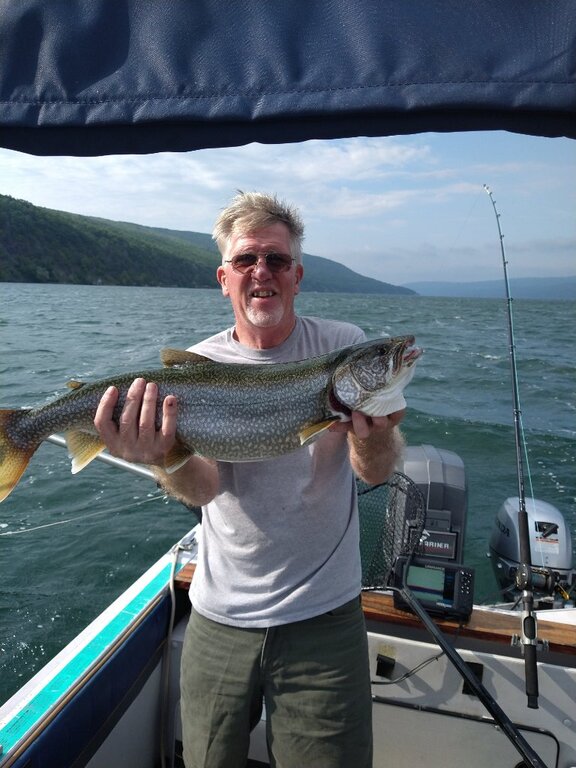
Caught this last year. Just a gorgeous fish